9. Other settings
9.1 Function key assignment
The function key is located on the right below the volume buttons. After the initial setup, the function key is assigned to the voice assistant Bixby when pressed and held.
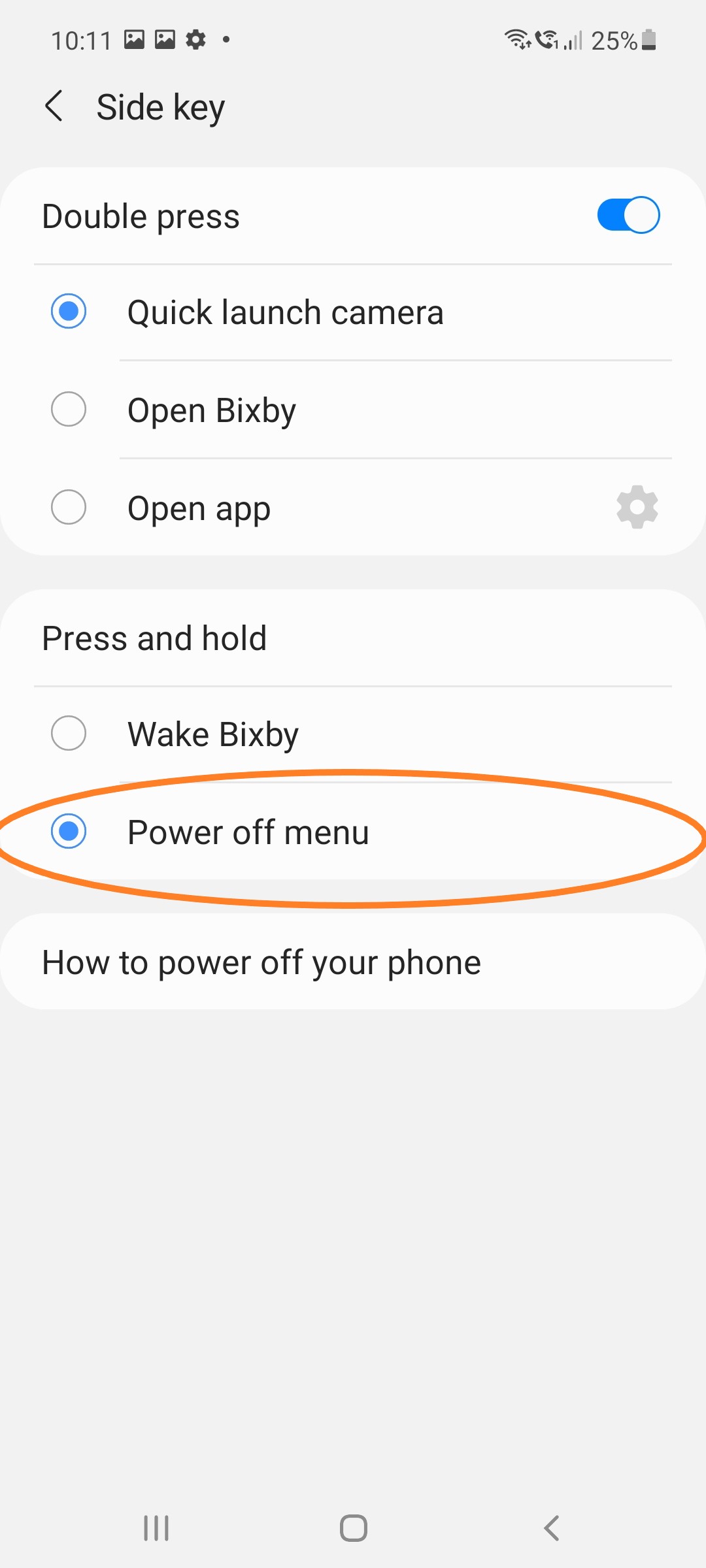
You can change the assignment so that the Turn off menu opens instead of Bixby as soon as you press the button longer.
9.2 Assigning a function key to the Turn-off menu
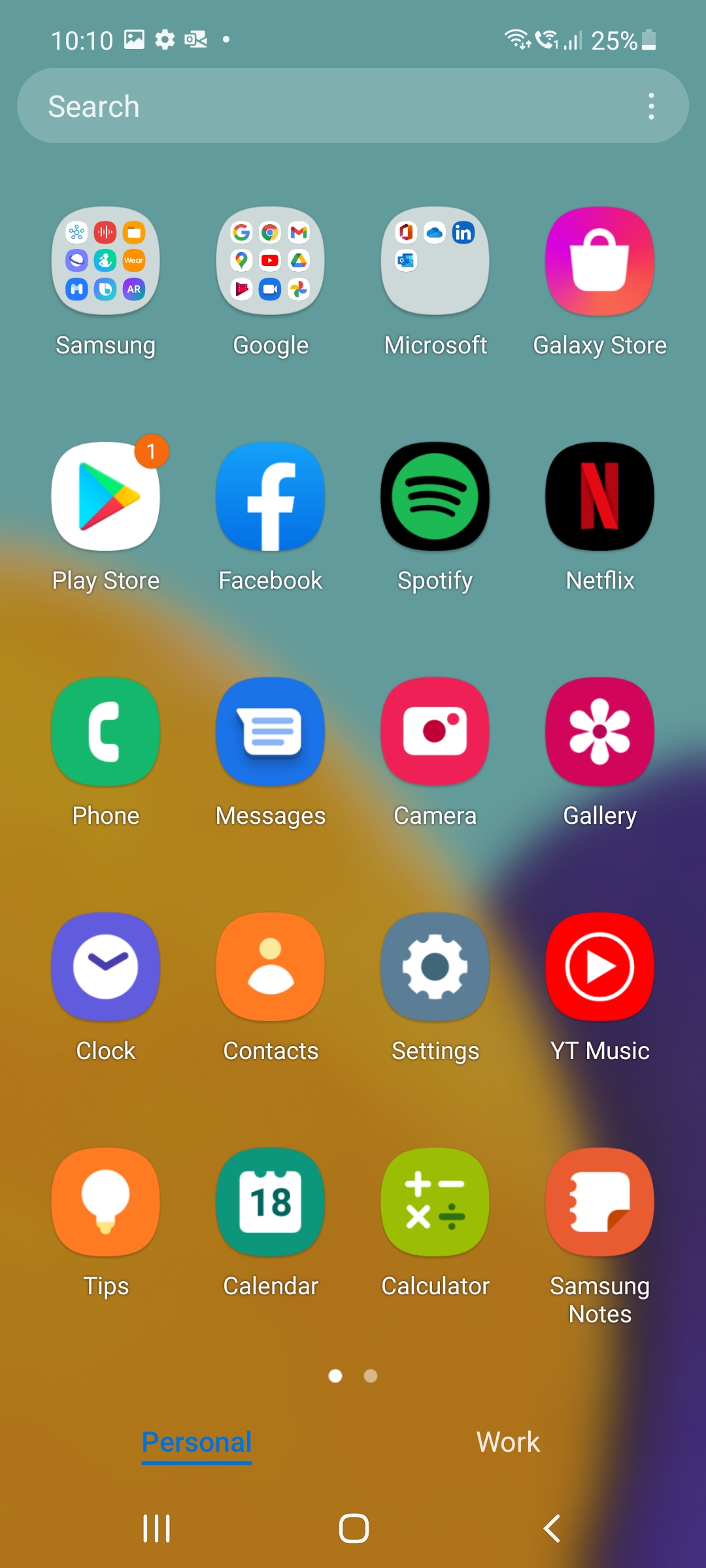
Open the Settings app.
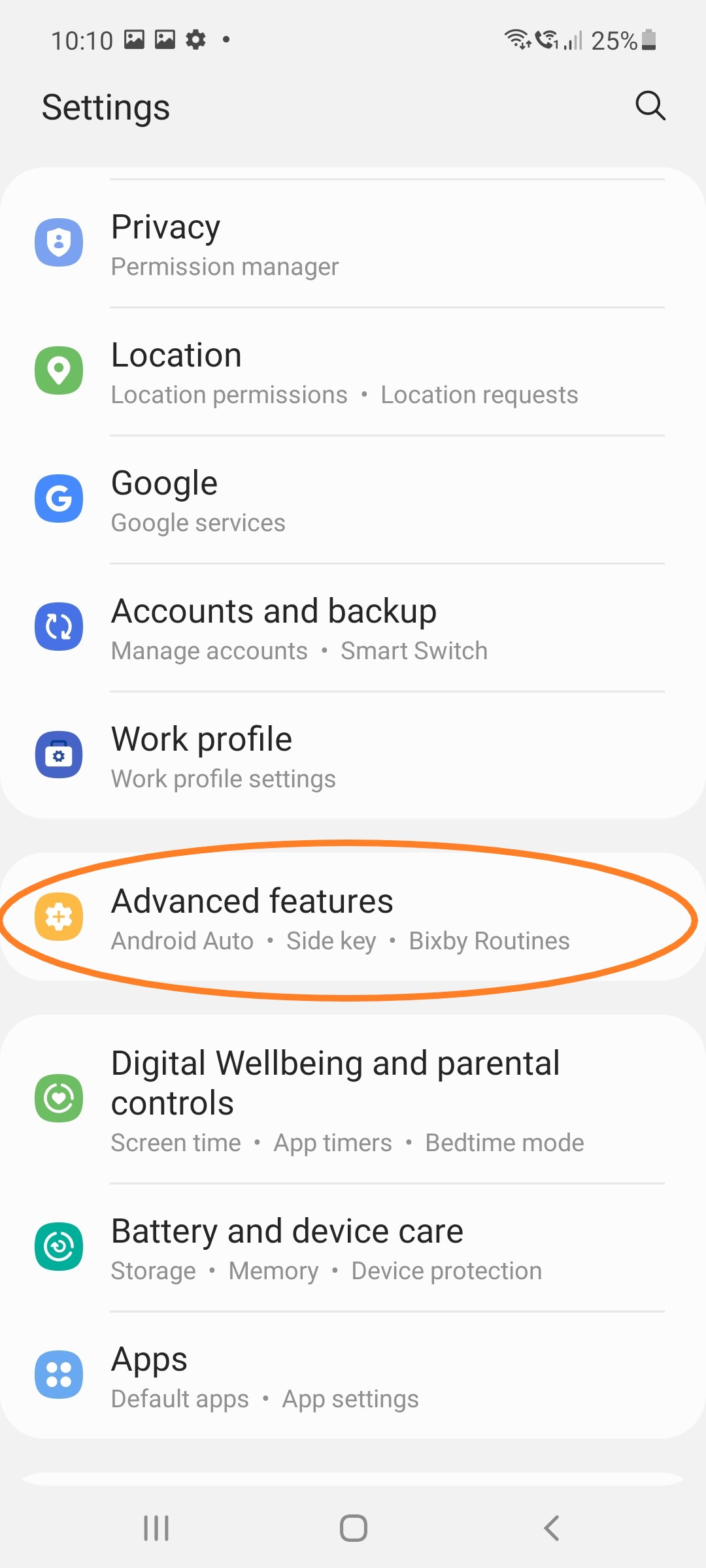
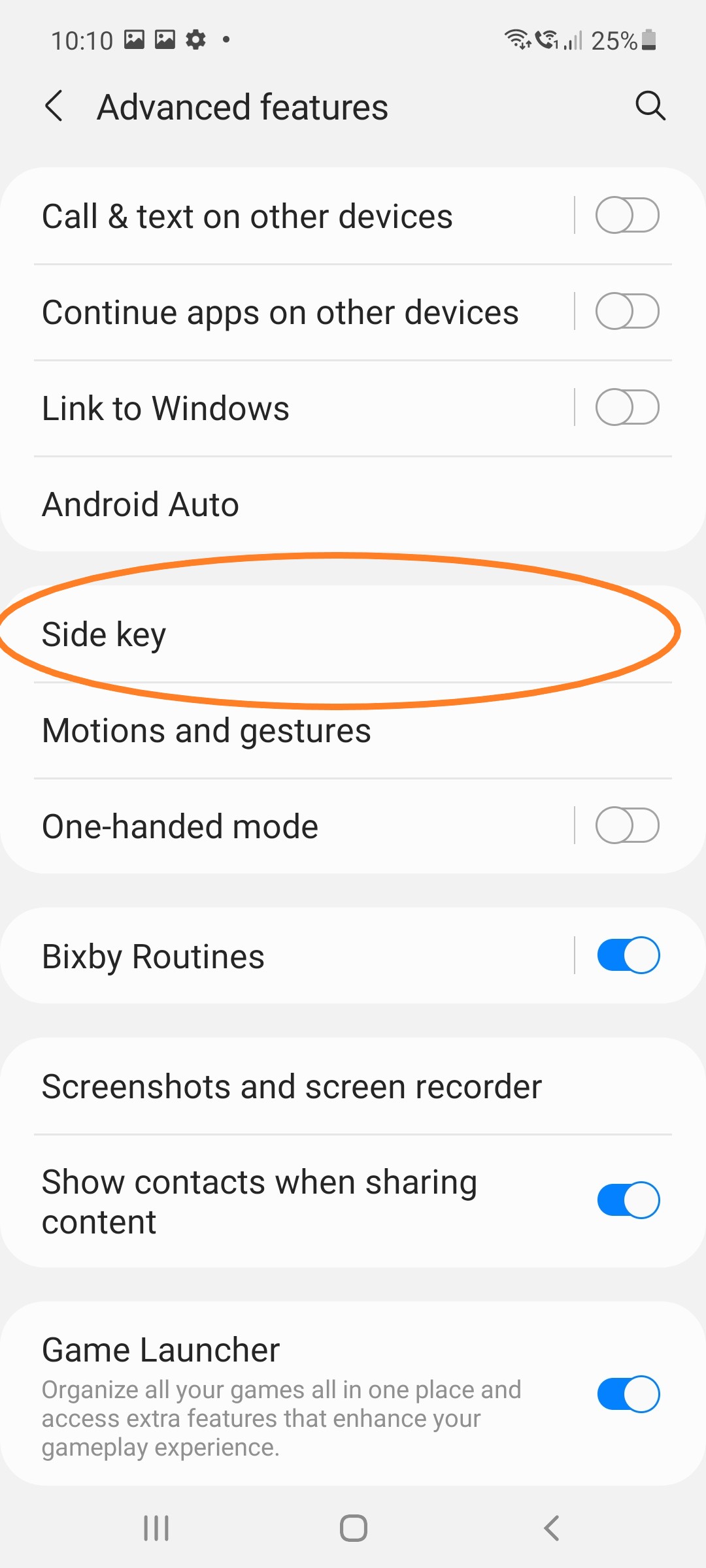
Tap Advanced features, then tap Side Key and activate the Power Off Menu under Press and Hold.
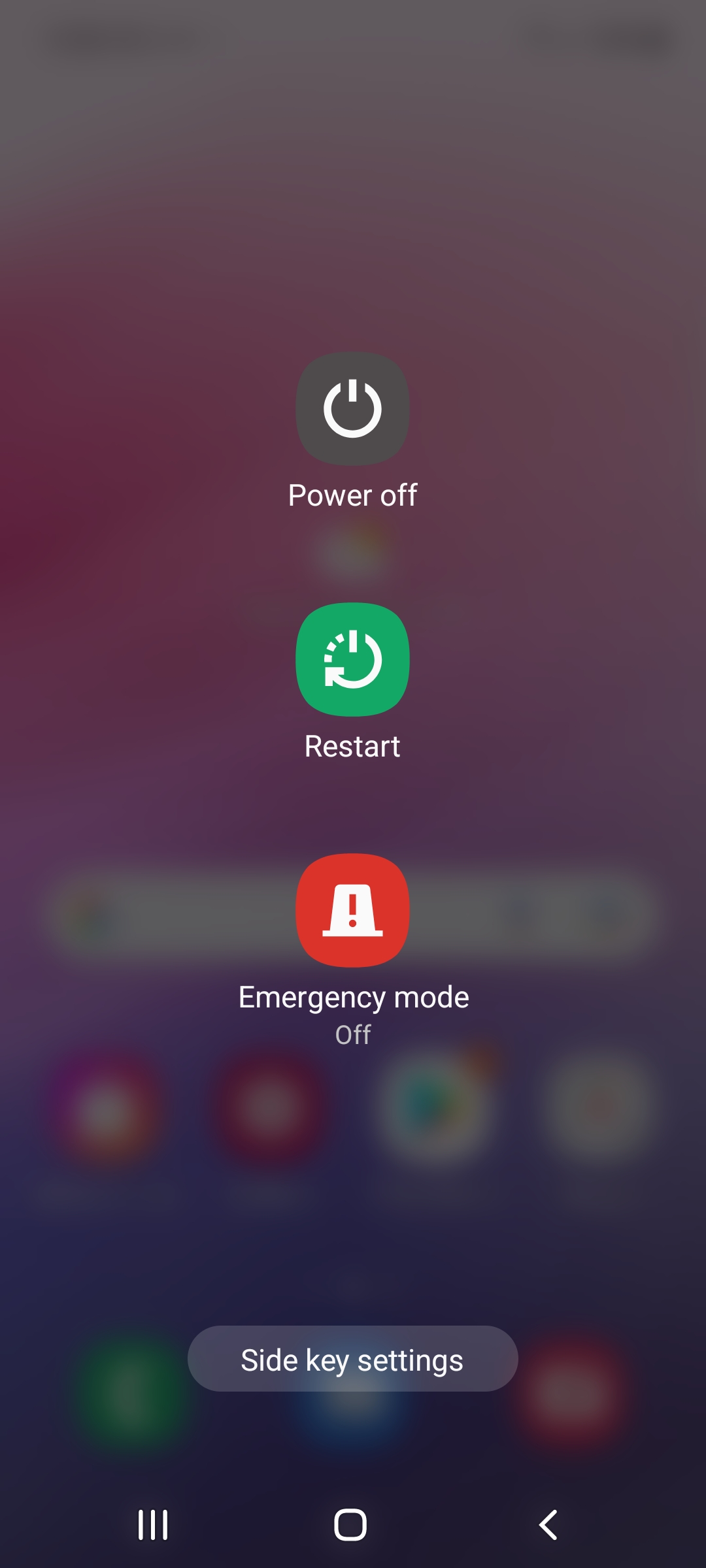
9.3 Power off menu
After pressing and holding the function key, the switch-off menu now appears.
9.4 Setup completed
The business profile is now activated and set up on your device 👍🏻. You can find more business apps in the business Play Store.
Hint
If you have any questions or problems, please contact the IT Support.