2. Set up Intune Company Portal
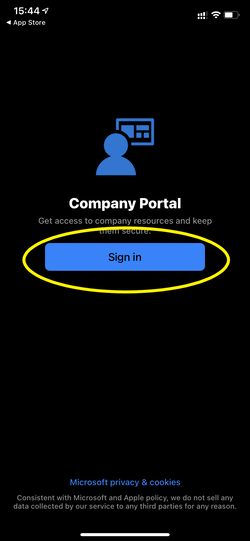
2.1 Log in to Company Portal
Tap Sign In to start the setup.
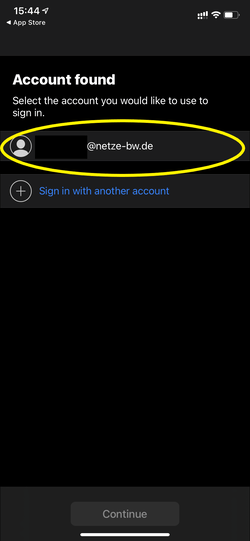
2.2 Choose Email Account
Tap on your yourmailaddress@enbw.com and then tap to continue. If your email address is not stored, enter the address in the input field..
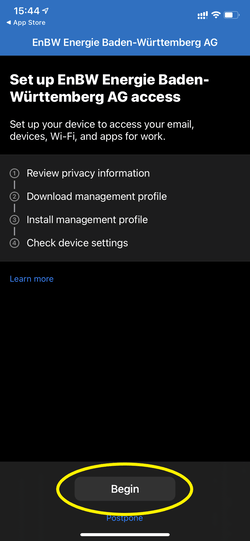
2.3 Information on device management and data protection
Tap Begin to start the installation.
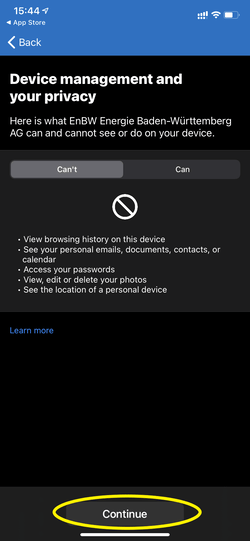
2.4 Business profile is downloaded
Tap Allow to download the configuration profile.
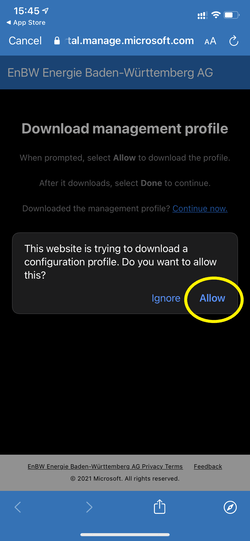
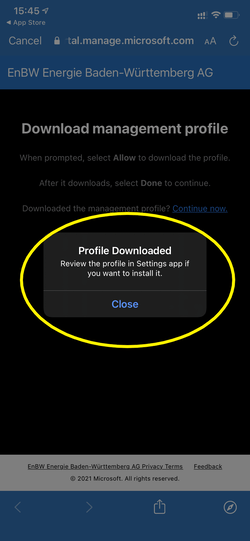
2.5 Profile loaded
Afterwards the hint "Check the profile in the settings if you want to install it " appears. Now go to the settings to install the profile.
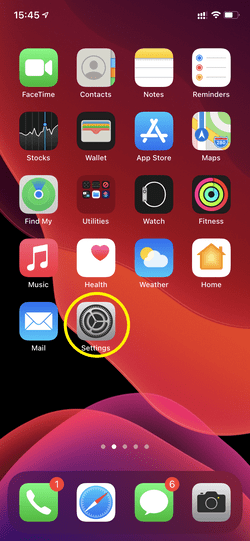
2.6 Install Business Profile
Open the app Settings and tap Profile Downloaded.
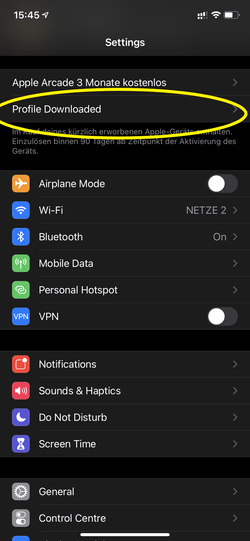
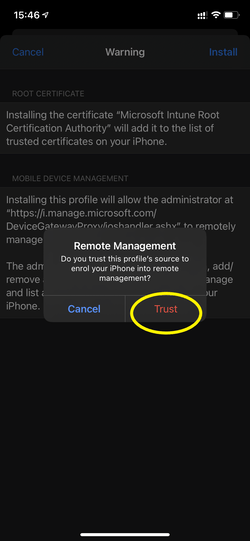
Tap Install and enter your device code or password.
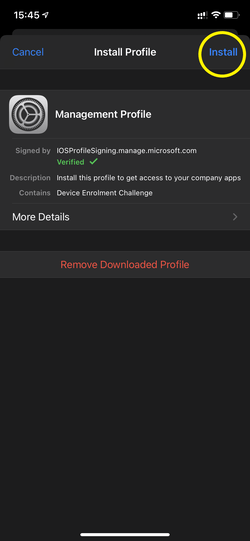
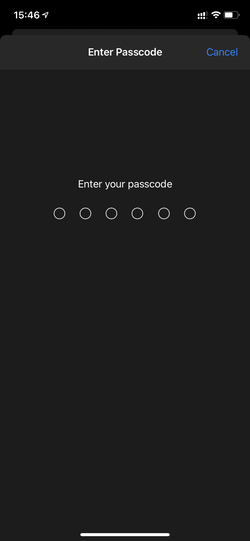
Follow the marked steps in the screenshots below and then tap Trust.
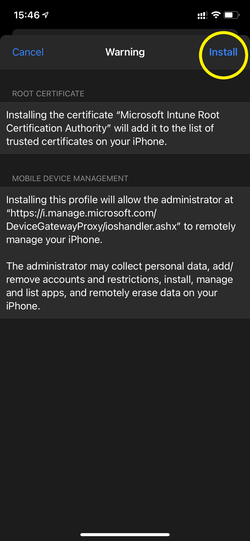
Profile installation completed
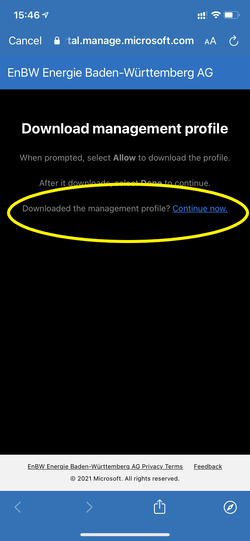
Switch back to the Intune Company Portal app and tap Continue now to continue the installation.
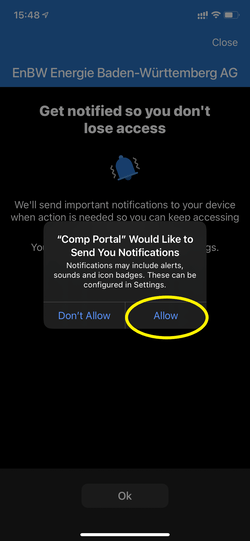
A dialog appears to enable notifications. Confirm this with Allow.