7. Business apps
Hint
Wait a few minutes after the device setup before you do the following steps. Some updates will be loaded and installed in the background.
7.1 Switch between personal and business apps
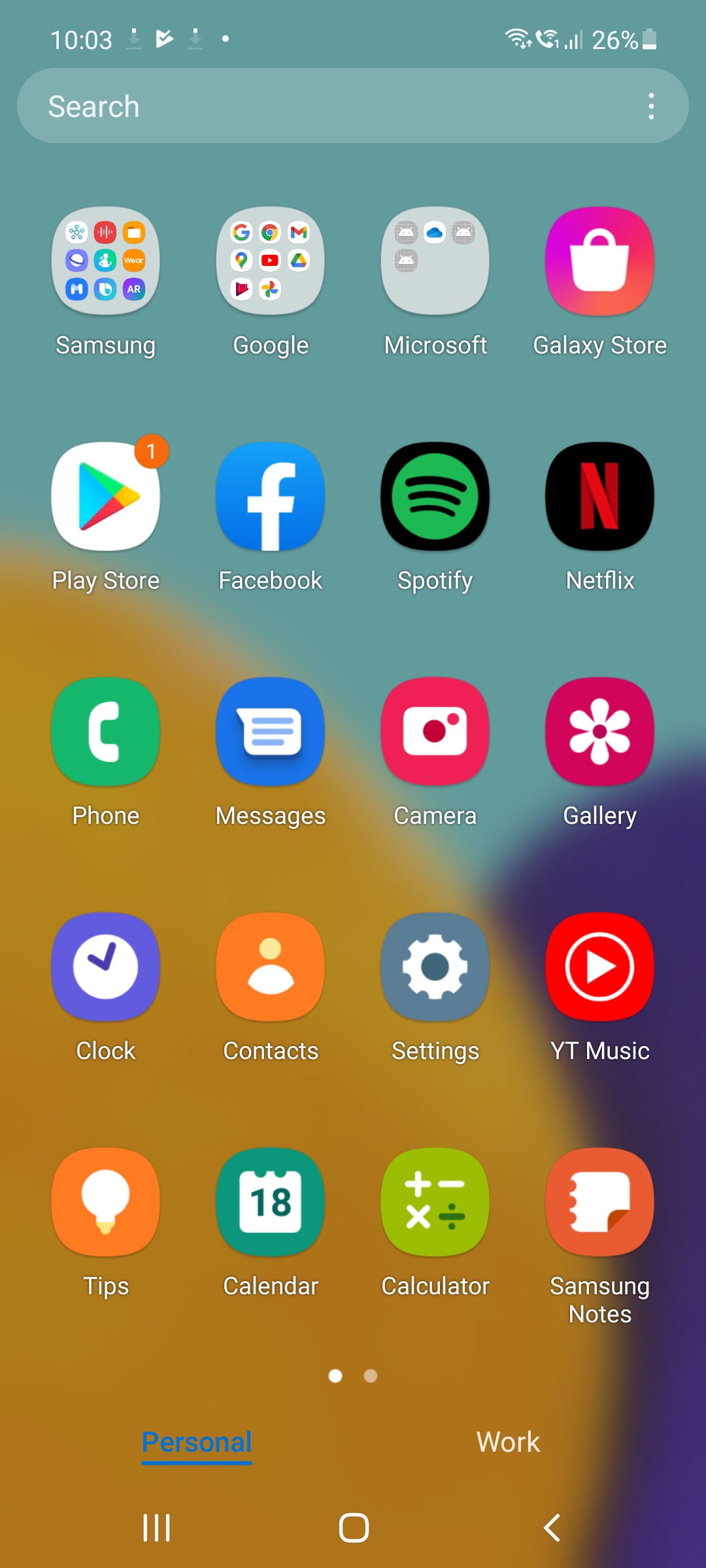
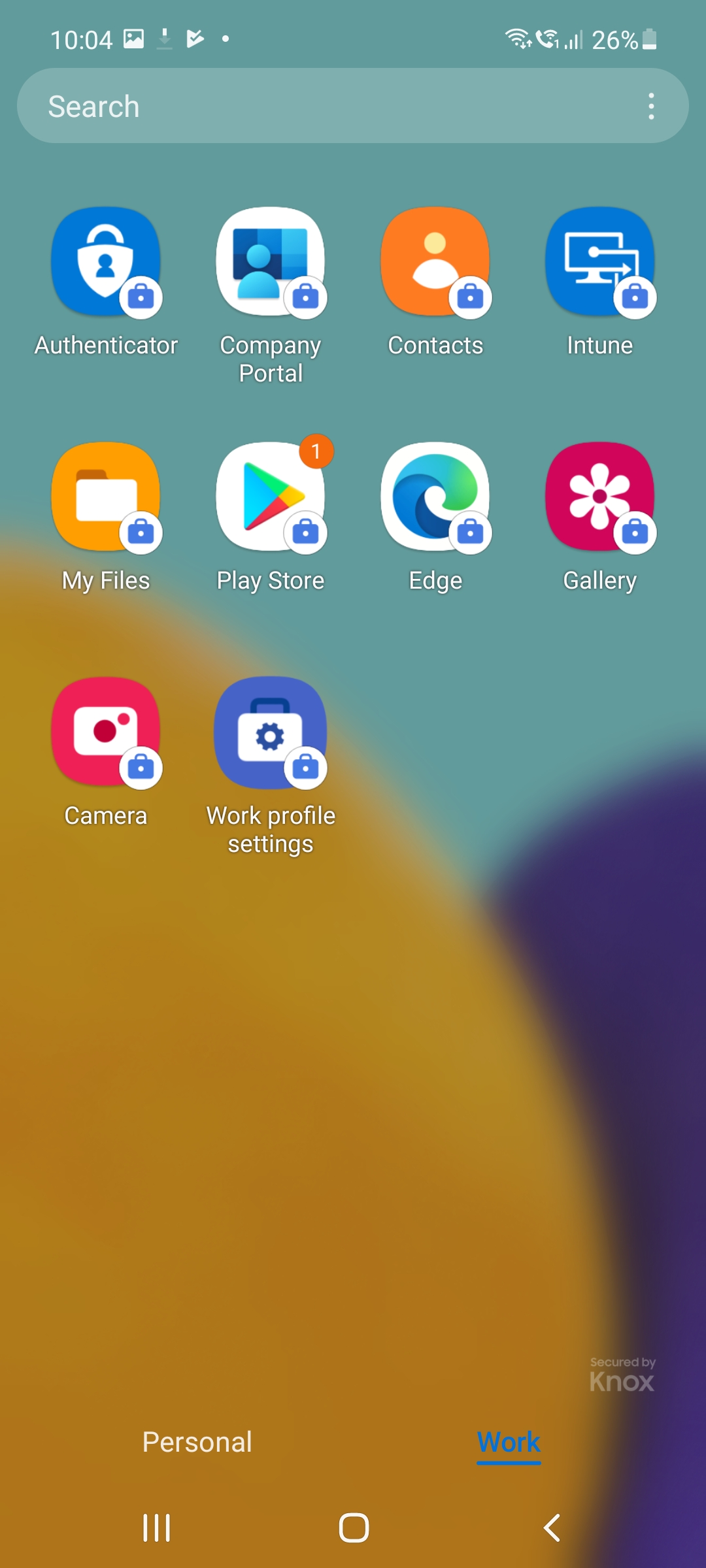
Switch to the app overview by swiping up from the bottom edge of the screen from the home screen. The personal apps are separated from the business apps. Tap on the Work tab.
7.2 Play Store
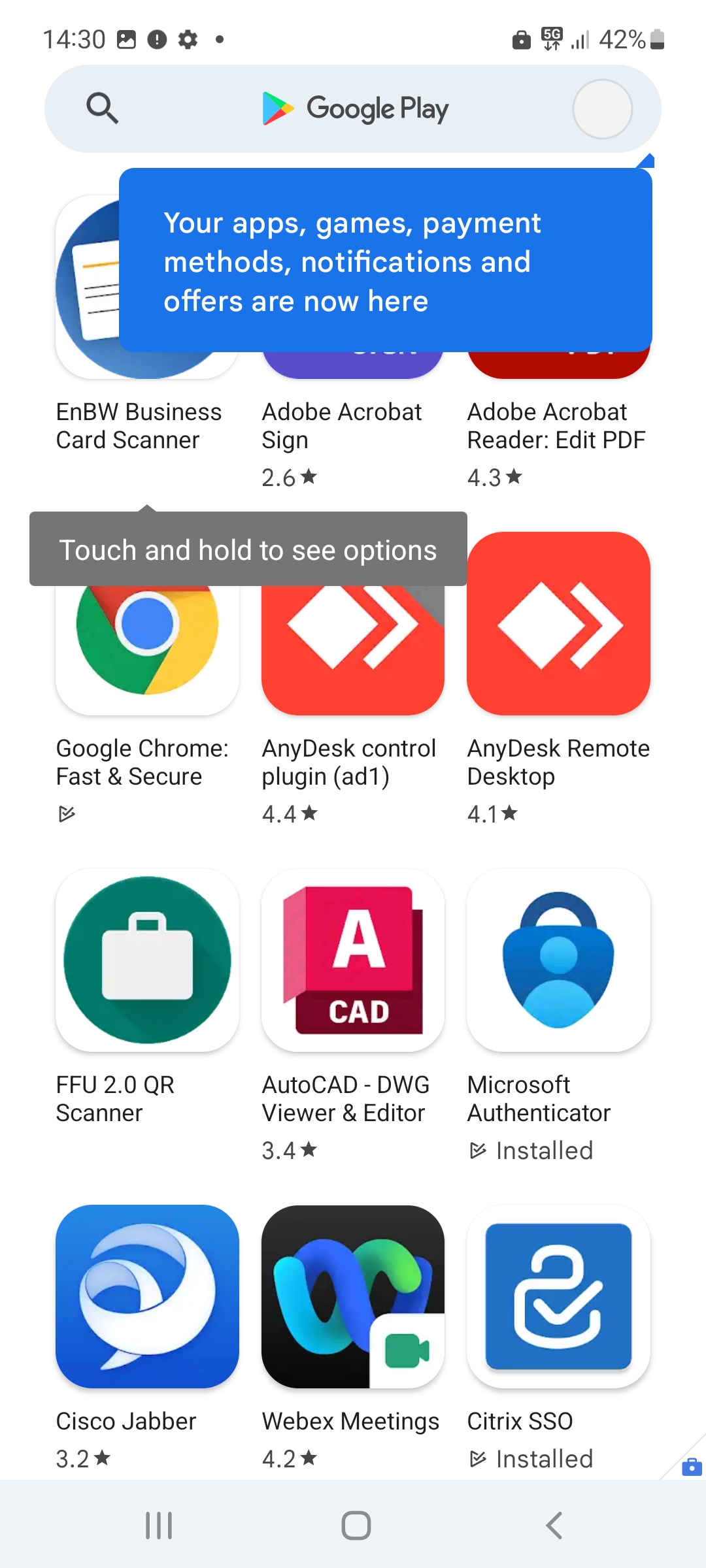
Open the Play Store in your work profile and search for the app Outlook. Select the app and then tap Install.
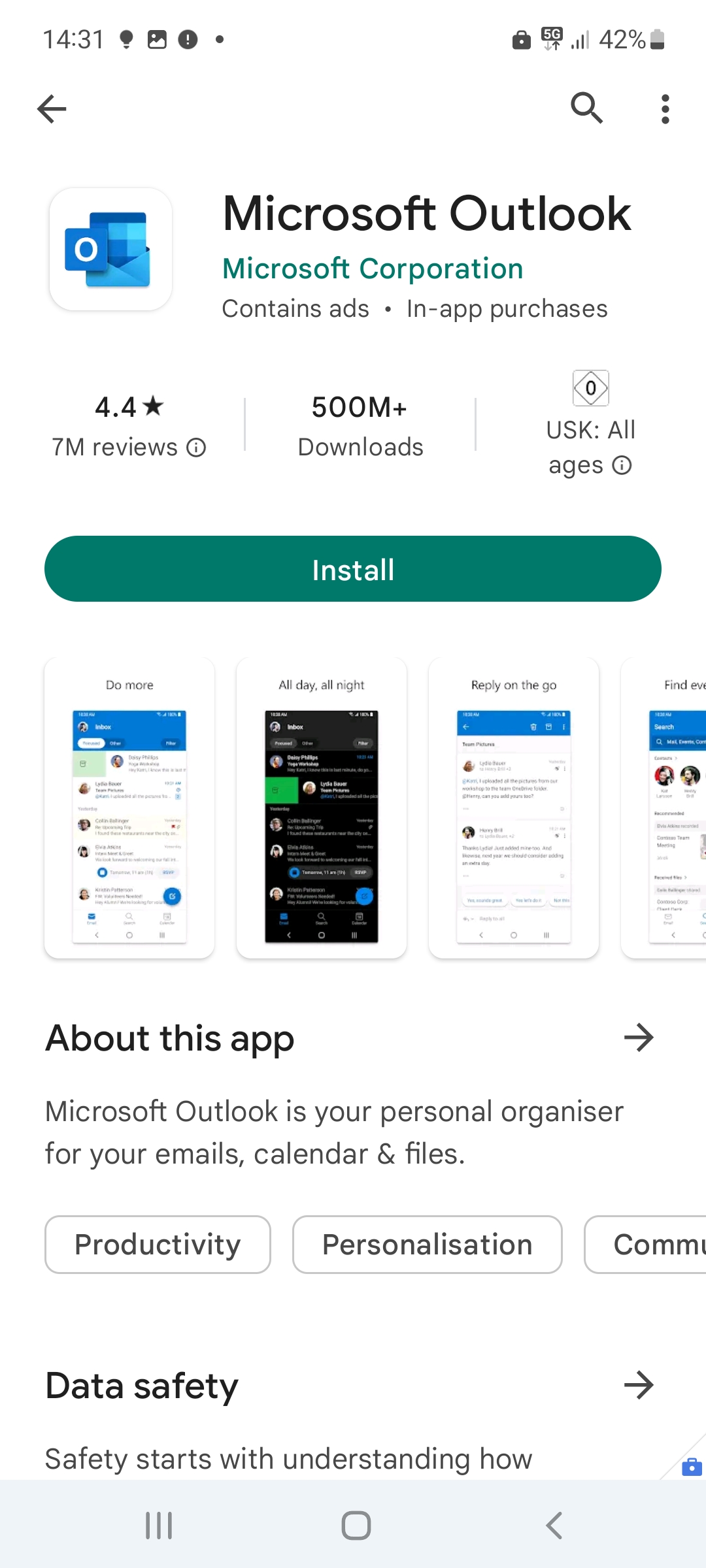
The app will now download. Tap Open after successful download.
Hint
Other business apps can be installed analogously. Just repeat the steps on this page if necessary.